
Tomcat as a Windows Service
How to
Tomcat (8.x will not start automatically each time you start up windows.
To enable automatic startup go to Services in Windows:
Step 1
Open the “Start” menu.
Step 2
Open “Control Panel”.
Step 3
Open “Administrative Tools”.
Step 4
Open “Services”.
Step 5
On service “Apache Tomcat 8.x Tomcat 8”, right-click and choose “Properties”.
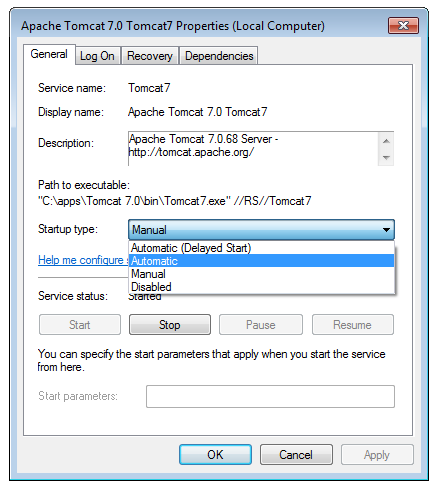
Change to Startup type “Automatic” if you want this behaviour.