
The System Utility Desktop
The System Administration Utility desktop has six different folders.
Database Setup Folder
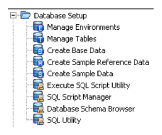
The Database Setup folder includes functions that help you whensetting up a database for the first time. There are functions for managing environments, the process if setting up the SICS database portion and creating data and sample reference data. Refer to later sections in the chapter for details on all of the icons in the Database Setup folder.
Database Updating Folder
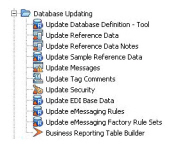
The Database Updating folder includes functions for updating an existing database schema for a new version of SICS. Refer to the Database Upgrading document on your SICS CD for details on all of the icons in the Database Upgrading folder.
Migration Folder
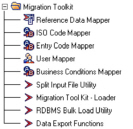
The Migration folder includes functionsfor migrating data from SICS 7.1 or other legacy system to SICS. Refer to the MTK documents on your SICS CD for details on all of the icons in the Migration Toolkit folder.
Periodic Functions Folder
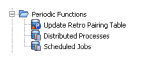
The Periodic Functions folder includes functions which for executing batch functions on periodic bases (such as weekly or monthly)
Data Loader Utilities Folder
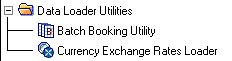
The Data Loader Utilities folder includes functions for loading batch bookingsand currency exchange rates to SICS.
System Administration Folder
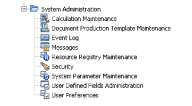
The System Administration folder includes functions for customising SICS, including Security and System Parameters.