Add Business Information
The Business tab on the Business Properties window shows the information common for the business for all insured periods.
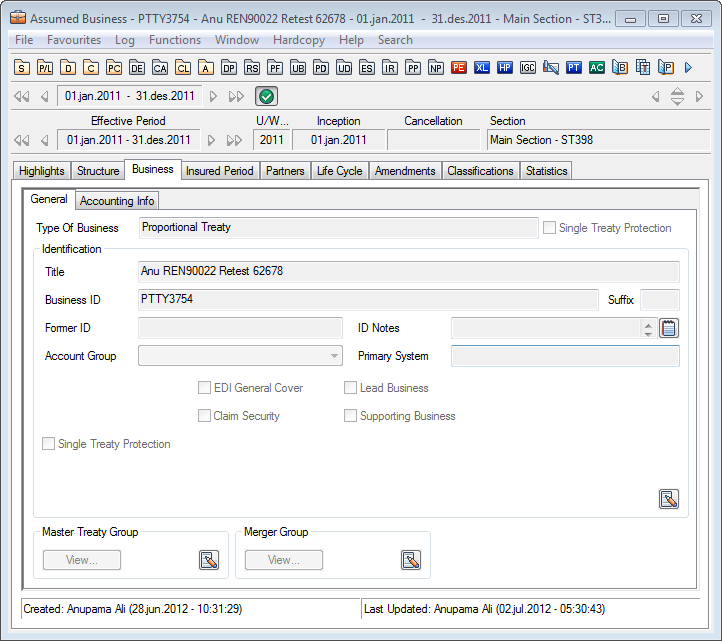
You cannot make changes until you click the Edit button, or the Edit Menu button for the section that you want to edit. Under Identification, you see Title, Business ID, Former ID, and Account Group.
Business Title: Title refers to the title you give the business.
Business Identifiers: Business ID refers to the SICS automatically generated number, or the number or name your company has given the business to uniquely identify it. Former ID refers to the identification used prior to the SICS identification. (If, for example, you were using a previous version of the software, you might have a different ID that you were using for the business.)
ID Notes: Free text field where you may enter any other relevant information about the business.
Lead Business: This flag is only visible on assumed placements crated from a Joint Contract. Flag is automatically selected on the assumed placement where reinsurer is indicated as “Administrator” in the Business Stamp assigned to the Joint Contract. On the other assumed placements created from the same Joint Contract, Lead Business flag is not selected. It is not possible to manually select/ deselect this flag on placements. All claims handling on assumed placement created from the same Joint Contract is performed from the placement marked as Lead Businesses.
Single Treaty Protection: Indicates whether this treaty is a single treaty protection or not. In other words, it says whether it has been agreed to protects only one treaty.
Values: Selected, Cleared
Default: Cleared
Validations: Level of Business must be Assumed Business or Outward Cedent’s Contract. Cannot be manually changed once treaty created
Functional Impact: Maintain Terms and Conditions
Classify Business
Find Business