View External Business Links and Indentifications
If your company have activated the Retrieve Business Info from External System and/or the URL Addresses on the business functionality for your business' base company and main class of business, the respective information is displayed on the External Info tab of the business.
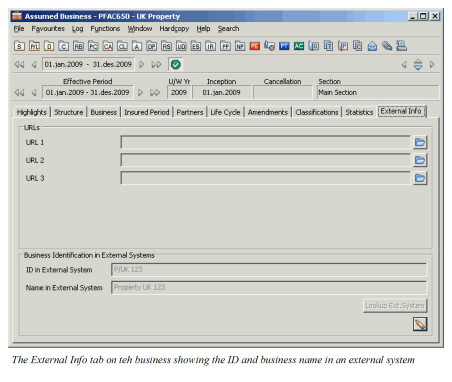
Note! This information is only enabled for the ‘Assumed Business’ and ‘Retrocessionaire Participation’ levels of a business.
- URL Addresses
If your company is using the URL Addresses on the business functionality, URL links are enabled on the businesses belonging to the base company and main class of business with the URL parameter activated.
By calling an URL from a business, SICS opens the business in an external system using the company’s default browser.
- Business Identification in External Systems
If you have activated the Retrieve Business Info from External System functionality, you can for a business that is falling within the defined Base Company/Main Class of Business group, enter external business identifier and name manually or retrieve this information from an external system.
To enter a business identification in external systems:
- Click the Edit button on the External Info tab. You see the External System Information window.
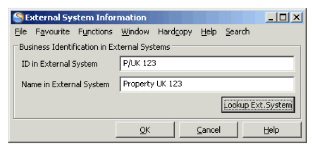 2. If your company allows manual input of external business ID and name, enter the relevant values, or click the Lookup Ext. System button.
The system calls out an external system using the business partner identifier of the cedent of the business and opens a window with data retrieved from the external system.
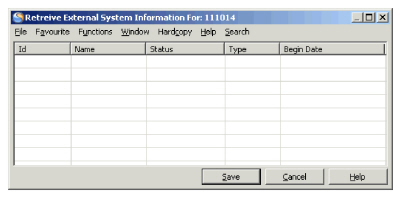 3. Select one treaty and transfer the ID and name to the business.