Reactivate Claims
When you have inactivated a claim in error, you can easily reactivate this, and thus enable further bookings to be made.
- Find and open the inactivated claim you want to reactivate.
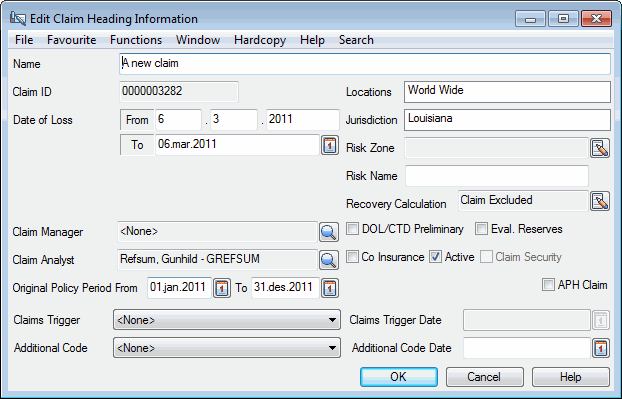
- Open the Properties tab and click the Edit button in the Heading Information section. You see the Edit Claim Heading Information window.
- Select the Active check box and click OK.